Tuesday, May 24, 2016

Nearpod


Nearpod is an interactive presentation and assessment tool in the classroom. Teachers can create presentations that can include surveys/polls, quizzes, videos, images, drawing boards, and almost any other internet resource. Teachers can create a Nearpod presentation from the website https://nearpod.com/how-it-works or from the app https://appsto.re/us/5EjnF.i. The program and app are both free. The teacher creates an account, prepares a presentation, and the students join the session by entering an access code on their device. I would absolutely love to use Nearpod in my classroom! The instructional tool is so interactive that even as a college student, I loved participating in a simple lesson about shapes! I would definitely use Nearpod as a pre-assessment and post-assessment tool. I would begin the presentation with a poll or quiz to assess what my students already know about a topic. After the students have completed the pre-assessment portion, I would begin the bulk of the instruction through lecture, videos, images, etc. At the end of the presentation I would have a more detailed quiz or open-ended question to assess which students understood the information. Nearpod is an incredible twenty-first century tool that helps students actively participate in the learning process and deepen their understanding of covered material. 

Nearpod Tutorial

Social Interactions Among Students With Autism

One in sixty-eight children are born with autism. That means that in America alone, more than 3.5 million people live with an Autism Spectrum Disorder (ASD). A common characteristic among people living with an ASD is a persistent impairment in social communications and interactions. However, this does not mean that children with autism should be excluded from the typical classroom due to a social impairment. Rather, the classroom should be inclusive and teach social skills to all students, not only those with autism. The bottom line is that you will have children with an ASD in your classroom, and many of them will have trouble communicating and interacting with their peers. Typical students, however, usually are unable to interact with autistic children as well. Due to this fact, I plan to teach social skills to my entire classroom, not only to those with autism. This can be accomplished through a variety of strategies. Perhaps the simplest way is to create social stories for students to read/listen to and practice with a classmate. Another way is to create play groups. This can be done both inside and outside of the classroom. The goal of play groups is to teach proper social responses such as, “May I have that” and “Here you go.” Perhaps my favorite strategy, however, is assigning peer buddies/tutors. Research suggests that students learn best from their peers, so why shouldn’t we let them learn social skills from others as well? This promotes communication skills in all students and will lead to a better learning experience throughout the school year.


Social Story Apps:

Play Groups:


Peer Buddies/Tutors:

Flipping The Classroom


What is a flipped classroom? A flipped classroom is the literal opposite of a traditional classroom. In a flipped classroom, class time is devoted to exercises, projects, discussions, and other real-life applications. The lecture and instructional portion of a class is viewed by the students at home. I believe that there are several pros and cons to flipping your classroom. For example, a pro of flipping the classroom is that it gives the students more control and promotes the development of all four twenty-first century skills. Because students are no longer required to complete project work individually outside of the classroom, they learn how to communicate and collaborate with their peers in order to complete assignments. They are simultaneously improving their creativity and critical thinking skills since they are in control of their learning. The biggest downside to flipping the classroom is the limited access to technology. Many students do not have access to a computer or any other type of device at home. Because of this, it would be extremely difficult, if not impossible, for them to access the lectures and videos outside of the classroom. Due to this digital divide, I personally would only use the flipped classroom strategy in subject areas where students tend to struggle and need additional help such as math.This would allow students to get the extra help they need without losing class time or holding back the students who are ready to move on. Listed below are a few programs that are helpful when creating videos for your students to view at home.


Friday, May 20, 2016

Augmented Reality


Webster’s dictionary defines augmented reality as “a technology the superimposes a computer-generated image on a user’s view of the real world, thus providing a composite view.” What does that mean for the future of education? It means that our students are no longer limited to traditional classroom learning. Students can now explore virtual worlds within the classroom. If I want to teach a lesson to my students about the solar system, the students can scan a picture and be linked to a virtual solar system that they can actually explore and manipulate using the Aug That app. I can’t imagine a more fun or beneficial field trip for my students. I would also love to use the Aug That app for history lessons. Because of augmented reality programs, my students can literally dive into the learning process. They no longer have to read and research whichever historical figure or event I am teaching; they can actually see the events for themselves in a virtual world. Imagine if we all had learned this way! Augmented reality gives students the opportunity to collaborate with their peers in new ways while deepening their understanding of a topic. I can also assign students a topic, and they can create their own virtual worlds for their classmates to explore and learn about by connecting videos to an image. Augmented reality programs are definitely helping students learn and develop twenty-first century skills! Click below to create your free Aug That account now!

Green Screens

A green screen is a background in front of which moving objects are filmed. Using a green screen allows you to add separately filmed background to a final image. I always knew that green screens were used in movies, tv shows, music videos, and of course the weather. However, I never considered that teachers could use green screens in the classroom. All it really takes is a device, a good app, and a green background. Now that I know teachers have access to green screen apps, I realize that the possibilities are endless! As an elementary teacher I could use a green screen in any subject area. I would especially use them in History and English/Reading. So many historical movies are inappropriate for the elementary classroom, but allowing the students to familiarize themselves with a historical figure and portray that character in a movie-like setting would help deepen their understanding in so many ways! I would also love to use green screens during English/Reading. When I was in elementary school, we read a story, answered the questions, and took a test at the end of the week. I cannot imagine how much more my classmates and I would’ve enjoyed literature if we had actually gotten to portray the characters. I look forward to using green screen programs in my classroom one day to help my students learn twenty-first century skills. Asking students to portray a story, cover a topic, or even create their own work gives them an opportunity to use all four of the major skills—communication, creativity, collaboration, and critical thinking. A few green screen apps for iOS devices are Green Screen by Do Ink ($2.99), Veescope Live Green Screen App ($2.99), Green Screen Studio ($4.99). Below is a short tutorial for how to use Green Screen by Do Ink (widely recommended among teacher).

Wednesday, May 18, 2016

Reading Comprehension in Children With Autism

Reading comprehension is the ability to read text, process it, and understand its meaning. Comprehending literature is challenging enough for students who are developing typically. However, students on the Autism Spectrum typically experience even more difficulty. Students with Autism Spectrum Disorders (ASD’s) generally demonstrate well-developed word recognition skills, but are severely impaired in reading comprehension. This is known as Hyperlexia. Because students with ASD’s do not react as well to paper and pencil strategies, the use of iPads is extremely beneficial. There are a vast number of research-based apps that promote reading and comprehension skills in both students with and without any type of disorder. The link http://www.autismpluggedin.com/2012/08/autism-reading-comprehension-apps-for-children-with-autism.html lists a few apps that help students with autism—no matter what level—develop reading comprehension skills. I would definitely download these apps in my own classroom to work with autistic children. I would use apps that read the words aloud for students who are severely impaired and use the apps that do not read aloud for higher level students. Not only will students with ASD’s develop reading comprehension skills, but they might also develop critical thinking and communication skills while using these applications. This could lead to increased social interaction with their peers. Some of my classmates found additional apps that are excellent to use when working with children on the Autism Spectrum!
Inference Clues
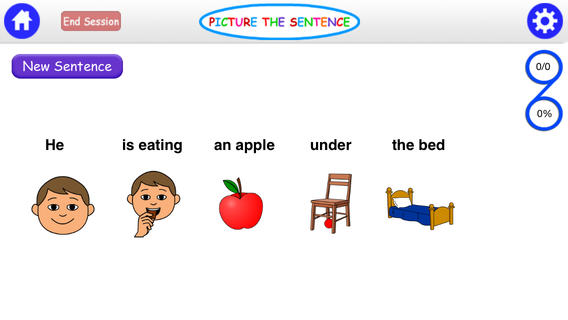
Picture the Sentence Lite

Noodle Words


Reading Comprehension Camp (Smarty Ears)

Socrative

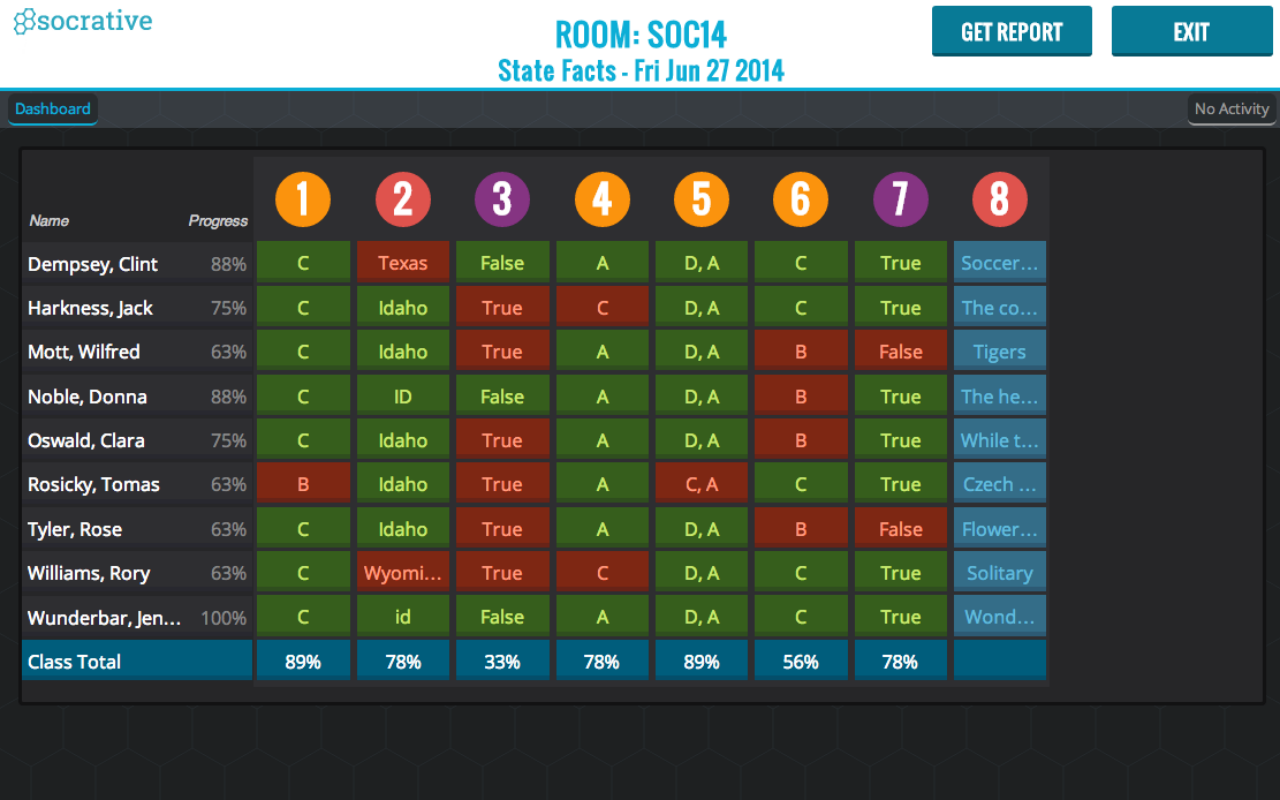
Sample Image of Classroom Results

Socrative by MasteryConnect is a program that allows teachers to collect assessment data through real-time questioning and result aggregation. Some of the pros to using Socrative are that it lets teachers immediately assess student learning, respond instantly, and gives students immediate access to their classmates’ ideas. A downside to using Socrative is that since it is an online quiz tool, only teachers who carefully plan and put time into making a Socrative quiz an effective assignment will reap the benefits of using the online tool in the classroom. Doing so can at times become very time consuming. Not only can teachers create online quizzes for their own students, but they can also create a Personal Learning Network to share resources and assessments with other teachers. This helps develop communication and collaboration skills in teachers and students as their share resources, ideas, and products with other classrooms in the school, community, or even nationwide. If I were using Socrative in my own classroom, I would definitely take advantage of sharing resources and assessments with the other teachers in my grade level. However, the best feature in Socrative could easily be its ability to align resources to both the state and Common Core Standards. How quick and efficient would that be! Follow the link below to set up your free Socrative account now!